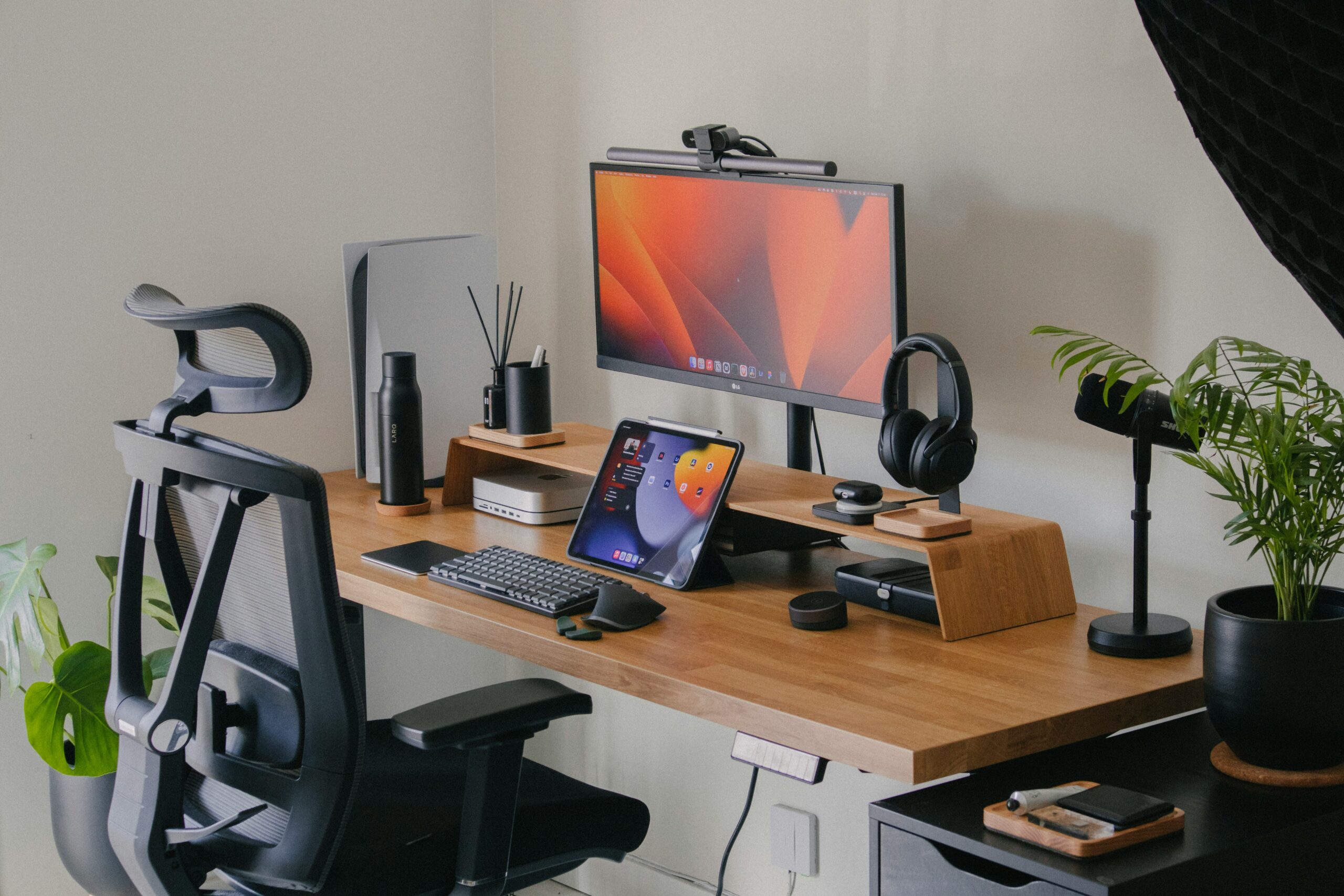
Most people try to improve productivity by installing more apps.
But the truth is simple: if your desk setup is uncomfortable or inefficient, no software will fix that.
A good workspace removes friction.
You move faster, focus longer, and get more done without thinking about it.
This guide covers simple tools that actually improve daily work.
No extreme setups. No overpriced gadgets.
Just practical items that make working from a desk easier and more efficient in 2026.
Why your desk setup matters more than any productivity app
Most productivity problems are physical, not digital.
A bad chair, poor lighting, or an uncomfortable keyboard creates small distractions that add up over time. You lose focus faster, switch tasks more often, and feel tired earlier.
A well-designed desk setup removes those distractions. You don’t think about your tools. You just work.
Before installing another app, it’s worth fixing the space where you actually spend your working hours.
I tested dozens of desk setups over the years, and most productivity advice online focuses on apps instead of the physical workspace. The reality is simple: if your desk is uncomfortable or cluttered, no software will fix your focus. This guide covers only practical upgrades that make a real difference in daily work.
While software and AI tools improve digital efficiency, your physical setup determines how comfortably you can sustain focused work.
Affiliate Disclosure
Some links in this guide may be affiliate links.If you choose to purchase through them, we may earn a small commission at no additional cost to you.We only recommend products that genuinely improve productivity and daily workflow.
Best Desk Setup Tools That Actually Improve Productivity
Instead of listing random gadgets, I focused on tools that remove real friction from daily work. These are practical upgrades that improve comfort, reduce strain, and help you stay focused for longer sessions.
1. Logitech MX Keys Review – Best Keyboard for Productivity
Best for: writing, office work, daily productivity
Price range: mid to high
Availability: Check current pricing
A comfortable keyboard makes a bigger difference than most people expect. If you type daily, switching from a basic keyboard to a well-built one reduces fatigue and improves speed.
The Logitech MX Keys is known for its quiet keys, solid build, and consistent typing feel. It’s not flashy, but it’s reliable and designed for long work sessions.
It works well for writers, remote workers, and anyone who spends hours at a desk. Once you adjust to it, going back to a cheap keyboard feels frustrating.
After switching from a basic keyboard, the difference in typing comfort was noticeable within a few days. For anyone who writes daily, this upgrade makes long sessions much easier.
2. Logitech MX Master 3S – Best Productivity Mouse
Best for: long work sessions, multitasking
Price range: mid to high
Availability: View details
A good mouse reduces strain and makes navigation faster. Many people ignore this until they switch to a better one.
The MX Master series is popular because of its ergonomic shape, precise tracking, and customizable buttons. You can scroll through long pages quickly, switch between apps, and work more comfortably for hours.
If you use a computer daily, a proper mouse is one of the easiest upgrades you can make to your workspace.
Switching from a basic mouse to an ergonomic one like this makes a noticeable difference, especially during long editing or design sessions. The reduced wrist strain becomes obvious after a few days of use.
3. Monitor Light Bar – Best for Eye Comfort
Best for: late work hours, reduced eye strain
Price range: low to mid
Availability: View current options
Lighting has a direct impact on focus and energy. Working in poor lighting strains your eyes and reduces concentration over time.
A monitor light bar sits on top of your screen and lights your desk without shining directly into your eyes. This makes it easier to work at night or in darker rooms without glare on the monitor.
It’s one of those small upgrades that feels unnecessary at first but quickly becomes part of your daily setup once you start using it.
I didn’t think lighting would matter that much at first, but reducing screen glare and eye strain makes late work sessions noticeably more comfortable. It’s a small upgrade that has a surprisingly big impact.
4. Adjustable Laptop Stand – Best for Posture
Best for: remote work, better posture
Price range: low to mid
Availability: Check pricing
Looking down at a laptop for hours creates neck and back tension. A simple laptop stand raises the screen to eye level and improves posture immediately.
This helps reduce fatigue during long work sessions and makes your desk feel more organized. It also works well together with an external keyboard and mouse.
It’s a small investment that makes daily work more comfortable and sustainable.
Raising the laptop to eye level immediately improves posture. It may not feel dramatic on day one, but over time it helps reduce neck tension and keeps your shoulders in a more natural position.
5. Noise-Cancelling Headphones – Best for Focus
Best for: deep work, noisy environments
Price range: mid to high
Availability: See details
Distractions are one of the biggest productivity killers. Even small background noise can break concentration.
Noise-cancelling headphones help create a focused environment, especially if you work from home, in cafés, or shared spaces. They allow you to stay in one task longer without constant interruptions.
You don’t need the most expensive model. A reliable pair with good noise isolation and comfortable padding is enough to improve focus significantly.
In noisy environments, the difference is immediate. Even moderate background noise can break concentration, and good noise cancellation creates a controlled workspace even if you’re not in a perfectly quiet room.
6. Simple Desk Organizer – Best for Clarity
Best for: clean workspace, mental clarity
Price range: low
Availability: View options
A cluttered desk makes it harder to focus. Even small visual distractions slow down thinking and decision-making.
A simple desk organizer keeps essentials in one place: notebook, pen, phone, cables. This reduces friction and helps you stay in flow while working.
It’s not a glamorous upgrade, but it improves daily work more than most people expect.
A cluttered desk creates subtle mental friction. Even a simple organizer makes the workspace feel cleaner and more intentional, which helps you start work without small distractions pulling your attention away.
Final Thoughts:
You don’t need a perfect office to be productive. Small upgrades — a better keyboard, proper lighting, noise control — can dramatically improve how you work every day.
Start with one change. Fix the biggest friction in your workspace first. Over time, these small improvements compound into better focus, better output, and less burnout.

Andrew Black is the founder of DipFeed, a digital publication focused on artificial intelligence tools, software reviews, and workflow optimization. He researches and analyzes how AI reshapes productivity, business processes, and modern work in 2026. His work emphasizes practical testing, real-world use cases, and evidence-based insights rather than hype or speculation.